Location-based reminders for everyday errands
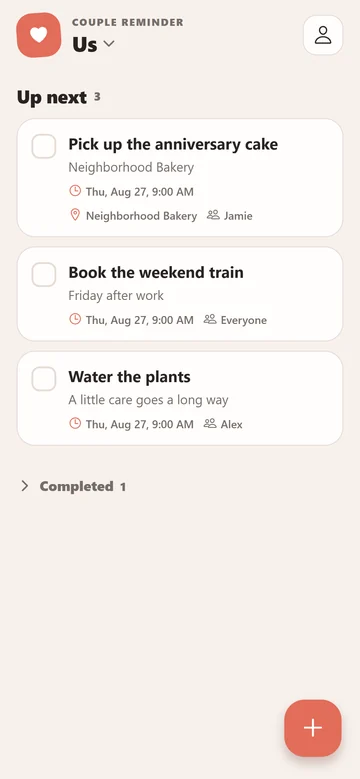
Some tasks are tied to a place, not a time. A location reminder in Couple Reminder connects a saved task to an area, so your phone can alert you when it enters that area.
Which phone gets the alert?
Each member's phone monitors saved reminder areas and can display an alert when that phone enters one, provided its location and notification permissions are enabled. The trigger is local to the arriving device.
This feature is not live partner-location tracking or a way to receive notifications of someone else's movements. The saved location belongs to the shared reminder. Choosing who is responsible does not limit location monitoring to that person's phone.
Choose an errand that fits
- At the supermarket: remember an item you regularly forget, with quantities or preferences in the note.
- Near a collection point: remember to collect a parcel, with the pickup details in the task.
- On arriving home: remember a small task that is easier to do once you are back, such as putting something by the door for tomorrow.
Use a timed reminder for a fixed appointment or deadline. A location alert depends on the phone detecting entry into an area; it is not a guarantee that you will be reminded at a precise minute or doorway. For ideas that do not need a place attached, see everyday shared reminders.
Add a location to a reminder
- Open a new or existing reminder in the space you share with your partner. Give it a clear title and add any useful note.
- Turn on Location alert. Search for an address or place, use your current location, or long-press the map to place the reminder circle.
- Check that the circle covers the intended area and adjust Circle radius. A very broad area may alert you before you reach the destination.
- Allow the requested location permissions, then save the reminder. Let both phones sync before you expect the shared location to be available on the other device.
Check location and notification permissions
Each phone needs location services, precise location access and permission to display notifications. Background access is labeled Always on iPhone and All the time on Android. In Couple Reminder, open device settings and check the Background readiness section for location reminders.
On Android, the app also offers Keep monitoring in background, which uses an ongoing notification while the service runs. Review the readiness checks on the actual phone you will carry. Permission choices and operating-system background restrictions can affect whether an alert arrives.
Test with a simple, nonurgent reminder
Confirm the saved circle, leave the area and enter it again with the phone you are testing. Standing inside a circle while creating it is not the same test as a new arrival. Check permissions and background readiness if no alert appears, and confirm the reminder has not been completed or deleted.
You can view and edit saved reminders offline; changes sync when you reconnect. An offline edit on one phone will not immediately update the other phone's saved area. If you use different operating systems, the iPhone and Android setup guide covers invitations and shared-space checks.
Couple Reminder is free with ads, with no email or password required. For setup problems, use support and describe the failing readiness check without sharing your home address.